Verity Mod Bedrock searches lead to several community add-ons rather than one universal Java-to-Bedrock conversion. Use this page to identify a maintained project, inspect its packs and confirm the supported Minecraft version before importing it.
Project version checked September 19, 2026: Verity BE 4.1.3, updated September 16, supports Bedrock 26.40; use the CurseForge project page as the download fallback.
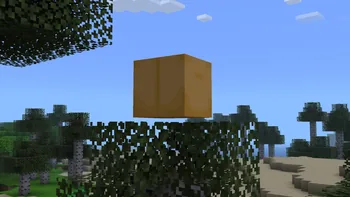
Verity concept media from the Java project is shown for identification; it is not a Bedrock gameplay claim.
Direct answer
Bedrock versions are separate community add-ons
There are playable Verity-themed Bedrock projects, including listings named Verity BE and Verity - Bedrock Edition. They are separate projects with their own authors, packs, backend requirements and update histories. The licensed Verity JE release is a Java Forge JAR and cannot be imported into Bedrock.
Open the project page first, read the supported version and download every required resource or behavior pack from that same listing. This site does not combine the projects or offer an unverified universal Bedrock package.
Edition
Minecraft Bedrock
Project
Verity BE
Current version
4.1.3
Updated
September 16, 2026
Supported game
Bedrock 26.40
Download target
Official CurseForge page
Community source page
Open the Verity BE CurseForge project
This action opens the project source rather than presenting an unverified file as universal. Confirm the supported Bedrock version, downloads and setup notes on the destination.
Project version checked September 19, 2026: Verity BE 4.1.3, updated September 16, supports Bedrock 26.40; use the CurseForge project page as the download fallback.
Why Verity Bedrock project identity matters
A familiar screenshot or name does not prove two downloads are the same add-on.
Bedrock creators have recreated the Verity concept through separate projects. Search results currently surface listings such as Verity BE, Verity - Bedrock Edition and downloads on community add-on sites. One project may focus on a talking yellow companion, another may reproduce horror events, and another may depend on a remote AI backend. Their files and instructions should not be mixed.
Start by recording the exact project title, author, listing URL, supported Minecraft version and required packs. Return to the same listing for updates. A repost can preserve the title while removing the author, changelog or dependency notes that make the add-on usable.
Starting point
What it represents
What to verify
Verity BE on CurseForge
Community Bedrock add-on listing
Author, files, version and backend notes
Verity - Bedrock Edition
Separate community CurseForge listing
Do not merge packs with another project
MCPEDL Verity BE
Community distribution/article page
Original author, changelog and destination links
Verity JE JAR
Java Forge mod
Not a Bedrock import file
Behavior packs, resource packs and world settings
A Bedrock add-on can split logic and media across a behavior pack and a resource pack. Importing only one side can produce invisible entities, missing textures, silent audio or behavior that never starts. If the project provides multiple files, keep their versions together and follow its order of installation.
Some add-ons require experiments, beta APIs, script permissions or an external backend. Enable only the settings named by the selected project. Turning on every experiment is not a reliable fix and can make it harder to know which feature caused a world problem. Test in a new world first, then decide whether to use the add-on with a valued save.
Import every pack listed as required by the same project release
Activate the resource and behavior packs in the test world
Check whether experimental features or scripts are required
Confirm any backend or AI service is still maintained
Keep a clean copy of the world before updating the add-on
A safer Bedrock installation flow
Use a clean test world to separate add-on problems from an existing world's history. The exact menus vary slightly by device, but the verification order stays the same.
1
Choose one project
Open its maintained listing and note the author, supported Bedrock version, file names and required settings.
2
Import all required packs
Open the provided .mcaddon or .mcpack files with Minecraft and wait for each import result.
3
Create a test world
Activate the matching behavior and resource packs and only the experiments named by the project.
4
Test the core interaction
Confirm Verity appears, textures and sounds load, and any backend connection works before moving to another world.
5
Back up before updating
Keep the previous project files and a world copy until the new version has been tested.
Verity Java and Bedrock are not interchangeable
Verity JE uses a Forge JAR and declares Java mod-library dependencies. Bedrock add-ons use Bedrock pack formats and may use scripts or an external service. Even when both versions show a yellow sphere and similar horror events, their code paths, storage locations and multiplayer behavior are different.
This distinction also affects troubleshooting. A Java crash log can identify a missing Forge dependency, while a Bedrock pack may import successfully but fail because its resource pack is inactive or its script backend is unavailable. Use the guide written for the edition you are running.
Verity Mod Bedrock download checklist
A Verity Mod Bedrock download is a community add-on decision, not a Java JAR conversion.
Before choosing a Verity Mod Bedrock download, open the maintained listing and record the creator name, supported Minecraft version, update date and every required pack. Similar project names do not prove that two listings distribute the same add-on. The useful evidence is the combination of project identity, behavior-pack requirements, resource-pack requirements and the instructions published by that project.
A legitimate Verity Mod Bedrock download should use a Bedrock-compatible package or documented pack workflow. A file named with a .jar extension belongs to Java mod loaders and cannot be imported into Bedrock by changing its extension. Likewise, a resource pack alone may provide textures or sounds without the behavior, scripts or backend connection needed for the complete community project.
Finish the Verity Mod Bedrock download checklist in a new test world. Import every pack from the same release, activate them in the order described by the maintainer and enable only the experiments the instructions require. If the add-on depends on an external service, confirm who operates it and what data it receives before using voice, chat or account credentials.
Project title and creator match the maintained community listing
Supported Bedrock version matches the installed game
Behavior and resource packs come from the same release
Required experiments and backend steps are documented
The first import is tested in a backed-up disposable world
Verity Mod Bedrock FAQ
Is there a Verity Mod for Minecraft Bedrock?
Yes, community Bedrock add-ons exist. They are separate from the licensed Java project and should be evaluated by their own listing, author and files.
Can I install Verity JE on Bedrock?
No. Verity JE is a Java Forge JAR. Bedrock uses add-on pack formats and a different runtime.
Why does the Bedrock add-on have more than one file?
Many add-ons separate behavior and resources. Missing one required pack can cause broken entities, textures, sounds or scripts.
Does Verity Bedrock need experiments?
Some community projects may require experiments or scripting features. Enable only the settings listed by the exact project version you selected.
Is a Bedrock download from a repost safe?
A repost removes useful evidence. Prefer a maintained project page, compare author and file details, and avoid installers or bundles that add unrelated software.
Bedrock project starting points
Community listings can change. Open them to verify their current author, version, files and setup requirements before downloading.
Verity BE on CurseForgeCommunity Bedrock project listing used as the primary starting point.